




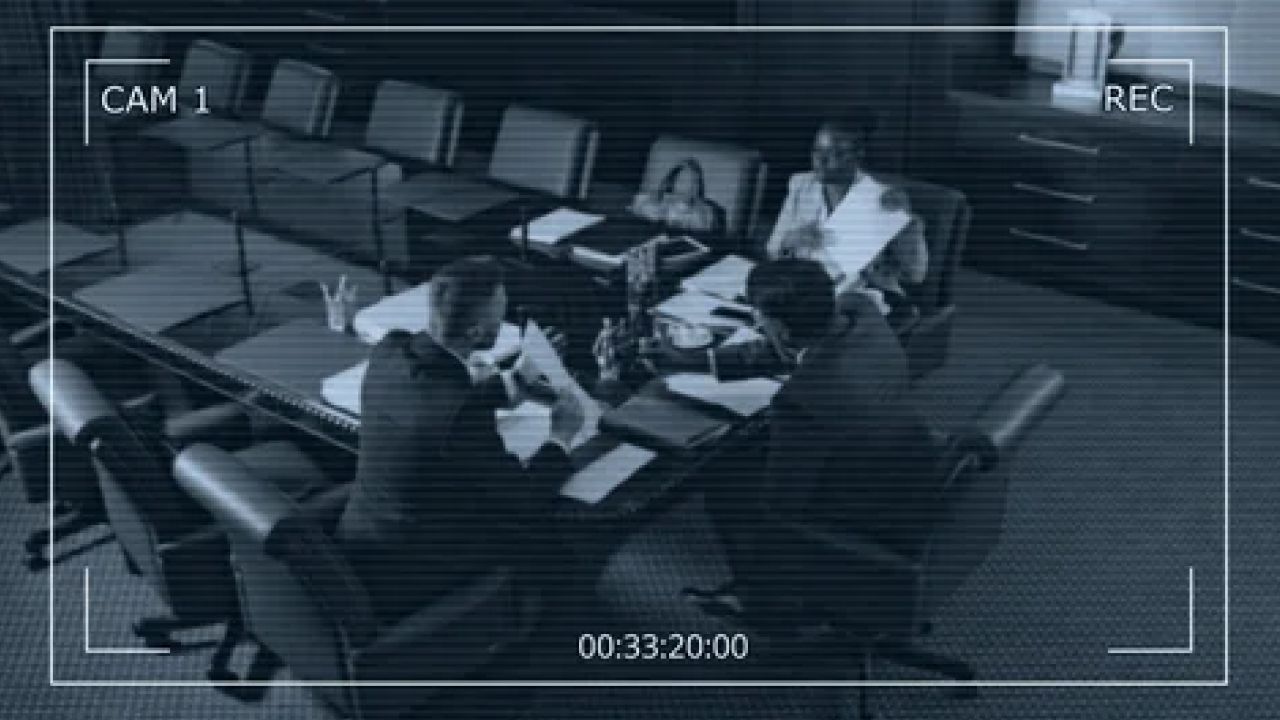
Why Are My Cameras Showing Black and White Images?
A frequent issue encountered by users of security cameras is the unexpected display of black and white images instead of vibrant color. Although the footage may be sharp and clear, it can be frustrating when it appears in grayscale. This lack of color can obscure important details, such as the colors of clothing or vehicles.
In low-light situations where the standard visible light sensor fails to capture enough illumination, night vision security cameras switch to their infrared mode. This mode activates the camera's infrared lights and sensors to brighten the field of view. Typically, these cameras feature a ring of infrared LEDs around the lens that emit a red glow, indicating their operation since infrared light is invisible to the human eye. The camera is also equipped with a sensor that detects the infrared light bouncing off objects and people within the frame, resulting in a black and white image for the viewer.
When the visible light sensor cannot gather sufficient light for a color image, the camera is unable to recognize colors. Infrared light exists just outside the visible spectrum, beyond what we perceive as red, meaning the camera can only interpret the brightness of the reflected infrared light. In the video feed, brighter infrared reflections appear white, while dimmer ones show various shades of gray.
Under normal conditions, the infrared sensors and lights work effectively to capture monochrome footage in low-light environments like nighttime or dark rooms. However, if the camera continues to show black and white images in well-lit conditions, it raises the question: what might be the cause?
If your camera is stuck displaying in black and white despite sufficient lighting, it likely indicates that the infrared lights remain activated. Several potential issues could be contributing to this problem. Below are some troubleshooting steps to help restore color to your cameras. If your infrared security camera is beyond repair, consider filling out a quote to find a suitable replacement.
A software glitch may cause the infrared sensors to remain perpetually activated. Often, a simple power cycle can resolve this issue: turn off the camera, wait a few seconds, and then turn it back on. This process can clear any incorrect settings that may have prevented the camera from reverting to color mode. If power cycling the camera doesn't work, try doing the same with the video recorder.
When infrared mode is active, the camera needs to gauge the amount of light it filters to decide whether to stay in infrared mode or return to color. If there is something blocking the sensor, the camera might mistakenly think it’s always dark, keeping the infrared lights on. Inspect the camera lens for any dirt or debris and clean it as needed. Additionally, consider whether there might be an issue with the power source.
The black and white display could also be due to inadequate power or communication stemming from a faulty cable or power supply. A straightforward way to diagnose this is by unplugging the problematic camera and connecting one that you know works correctly. If the new camera exhibits the same issue, the problem may lie with the cable or power supply. For suspected cable or power issues, it's advisable to seek assistance from a professional.
Another approach is to connect the malfunctioning camera to a working cable. If the camera continues to show the same black and white output, it likely indicates a fault with the camera itself. Unfortunately, not all camera issues are fixable, and sometimes the only solution is to replace the unit.
If you believe the camera needs replacement, check the manufacturer's warranty. While most manufacturers won’t cover repairs or replacements for damage or improper installation, issues like a stuck infrared sensor can sometimes be attributed to a manufacturing defect. Warranty policies can differ significantly between manufacturers and suppliers.
Articles
All articles
The Complete Guide to Retail Crowd Density Monitoring Using Video Analytics
The Complete Guide to Retail Crowd Density Monitoring Using Video Analytics
The Ultimate Guide to Occupancy Tracking Technology: Systems, Sensors, and Strategy
The Ultimate Guide to Occupancy Tracking Technology: Systems, Sensors, and Strategy
Maximizing Retail Performance: The Ultimate Guide to Heat Mapping Technology
Maximizing Retail Performance: The Ultimate Guide to Heat Mapping Technology
The Complete Guide to Deploying AI Video Analytics in Retail and Enterprise
The Complete Guide to Deploying AI Video Analytics in Retail and Enterprise
How to Design a Scalable Video Surveillance System for Multi-Site Retail
How to Design a Scalable Video Surveillance System for Multi-Site Retail
Upgrading Legacy CCTV: How to Integrate AI Without a Rip-and-Replace
Upgrading Legacy CCTV: How to Integrate AI Without a Rip-and-Replace
Upgrading Legacy CCTV: The Complete Guide to AI Security Camera Integration
Upgrading Legacy CCTV: The Complete Guide to AI Security Camera Integration
The Evolution of Video Analytics: How AI Transforms Security and Operations
The Evolution of Video Analytics: How AI Transforms Security and Operations
How AI Video Surveillance Solves Security Staffing Shortages and Reduces Costs
How AI Video Surveillance Solves Security Staffing Shortages and Reduces Costs
Maximizing Security System ROI: The Financial Case for Smart Surveillance
Maximizing Security System ROI: The Financial Case for Smart Surveillance

How to Calculate the ROI of a Business Security System
How to Calculate the ROI of a Business Security System
Master Multi-Brand CCTV Management: The Ultimate Guide to Brand-Agnostic Surveillance
Master Multi-Brand CCTV Management: The Ultimate Guide to Brand-Agnostic Surveillance

Strategic Guide to Retail Video Surveillance Migration: Upgrading Legacy Systems
Strategic Guide to Retail Video Surveillance Migration: Upgrading Legacy Systems

How to Reduce Commercial Security Costs Without Compromising Protection
How to Reduce Commercial Security Costs Without Compromising Protection

How to Reduce Retail Operational Costs With Video Analytics
How to Reduce Retail Operational Costs With Video Analytics
Security Staffing Optimization: The Complete 2026 Guide
Security Staffing Optimization: The Complete 2026 Guide
AI Retail Theft Prevention: How Smart Cameras Stop Shrinkage
AI Retail Theft Prevention: How Smart Cameras Stop Shrinkage

Modern Shopping Center Security Systems: The Complete Guide
Modern Shopping Center Security Systems: The Complete Guide
Video Management Systems Explained: Features, Benefits, and How to Choose the Right VMS
Video Management Systems Explained: Features, Benefits, and How to Choose the Right VMS
The Reality of the Single Pane of Glass: Achieving Unified IT Visibility
The Reality of the Single Pane of Glass: Achieving Unified IT Visibility
Try TRASSIR For Your Business
Learn more about how TRASSIR analytic modules work! Demo mode is an opportunity to see for yourself how the system works, and also check the interface and test all the functions.Success!
We will contact you as soon as possible